

About Us
The argument in favor of using filler text goes something like this: If you use real content in the Consulting Process, anytime you reach a review point you’ll end up reviewing and negotiating the content itself and not the design.
The Absentee Owner List Automation I Build for Indian Proptech Teams Serving US Investors
The Absentee Owner List Automation I Build for Indian Proptech Teams Serving US Investors
The Absentee Owner List Automation I Build for Indian Proptech Teams Serving US Investors
Absentee owner list automation uses US property data, not Indian property data. This field guide is for an Indian team lead preparing to manage that workflow for a US real estate investor.
The responsibility is bigger than pulling a list. Your team has to understand the client’s buy box, avoid duplicate leads, work in the correct time zone, protect property and contact data, and refuse calling practices that ignore US rules.
Indian virtual assistants, outsourcing businesses and proptech teams already perform much of this work. They often do it at night while the US client begins the working day, which means a broken alert or repeated lead can create pressure before the shift has properly started.
These are the lessons I would give the team lead before the first client workflow goes live.
Lesson 1: Understand absentee owner list automation before touching n8n
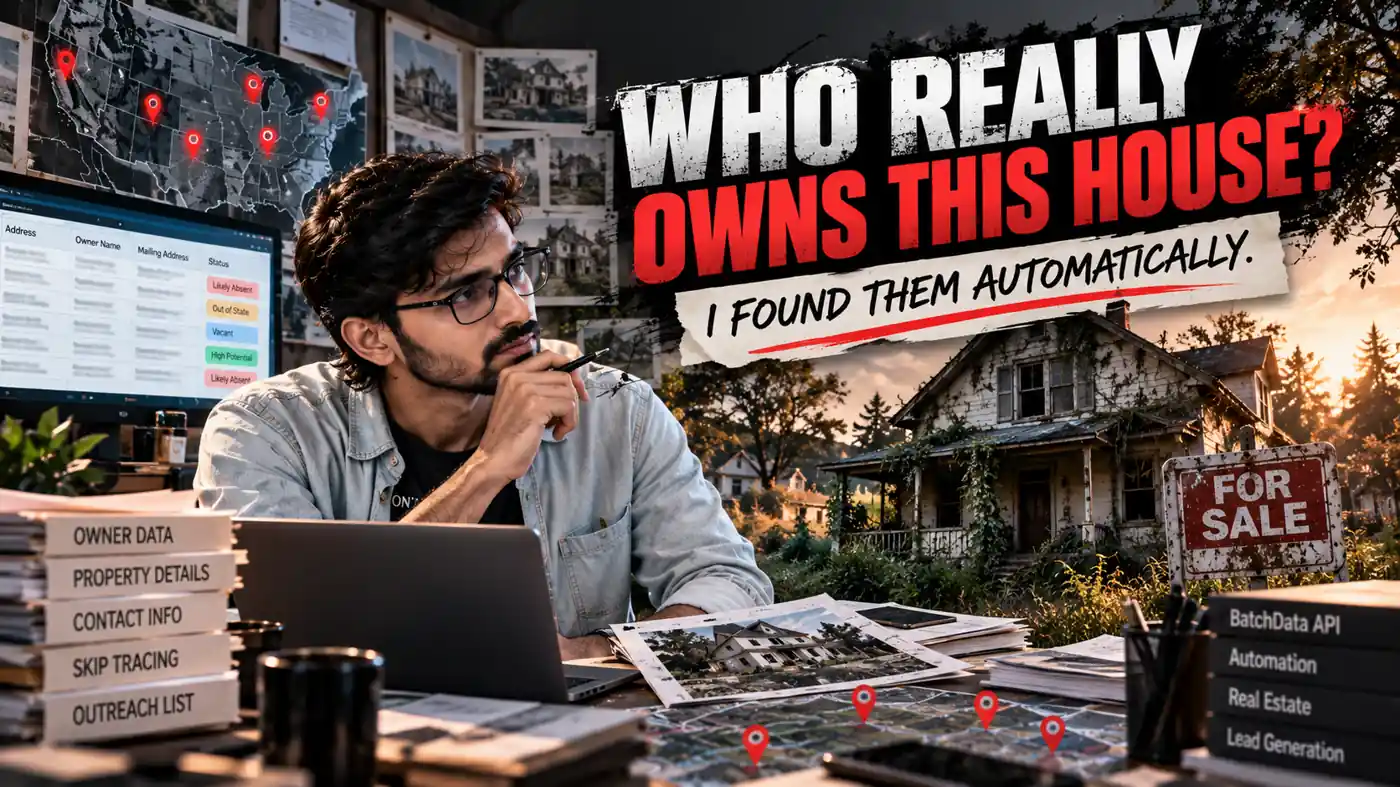
An absentee owner is somebody who owns a property but does not live in it. In US property records, the normal signal is a difference between the owner’s mailing address and the address of the property.
Example:
A landlord lives in Texas and owns a rental house in Ohio. The owner’s mailing address is in Texas, while the property address is in Ohio, so the Ohio property is marked as absentee-owned.
The workflow looks for that difference in the records. It does not guess from the owner’s name, age or property type.
US investors may target absentee owners because some are tired landlords, heirs who received a property far away or people who moved without selling their earlier home. None of those signals proves that the owner wants to sell.
The absentee flag is only one part of the client’s criteria. A lawful conversation is still needed to understand the owner’s position and whether the property fits.
In practical terms, absentee owner list automation performs four jobs:
- Searches US property records on a schedule.
- Remembers the properties returned by earlier searches.
- Applies the client’s buy box and equity rules.
- Alerts the sales team when a new or changed property qualifies.
It replaces repeated exports, manual spreadsheet comparison and forwarding. It does not decide if a property is a good deal.
Make sure your team understands these terms before accepting the project:
| Term | Meaning for the operations team |
|---|---|
| Absentee owner | The owner’s mailing address differs from the property address |
| Equity | Estimated property value minus what is still owed |
| High equity | The owner holds a large share of the property value outright |
| Buy box | The client’s target cities or ZIP codes, property types and price range |
| List stacking | Combining signals such as absentee ownership and high equity |
| Skip tracing | Finding contact details from an owner’s name and address |
The buy box must come from the client in writing. Without it, your team is not automating a strategy. It is guessing.
Lesson 2: Treat the BatchData API run like an hourly production shift
The hourly workflow is easier to manage when everybody understands the order.
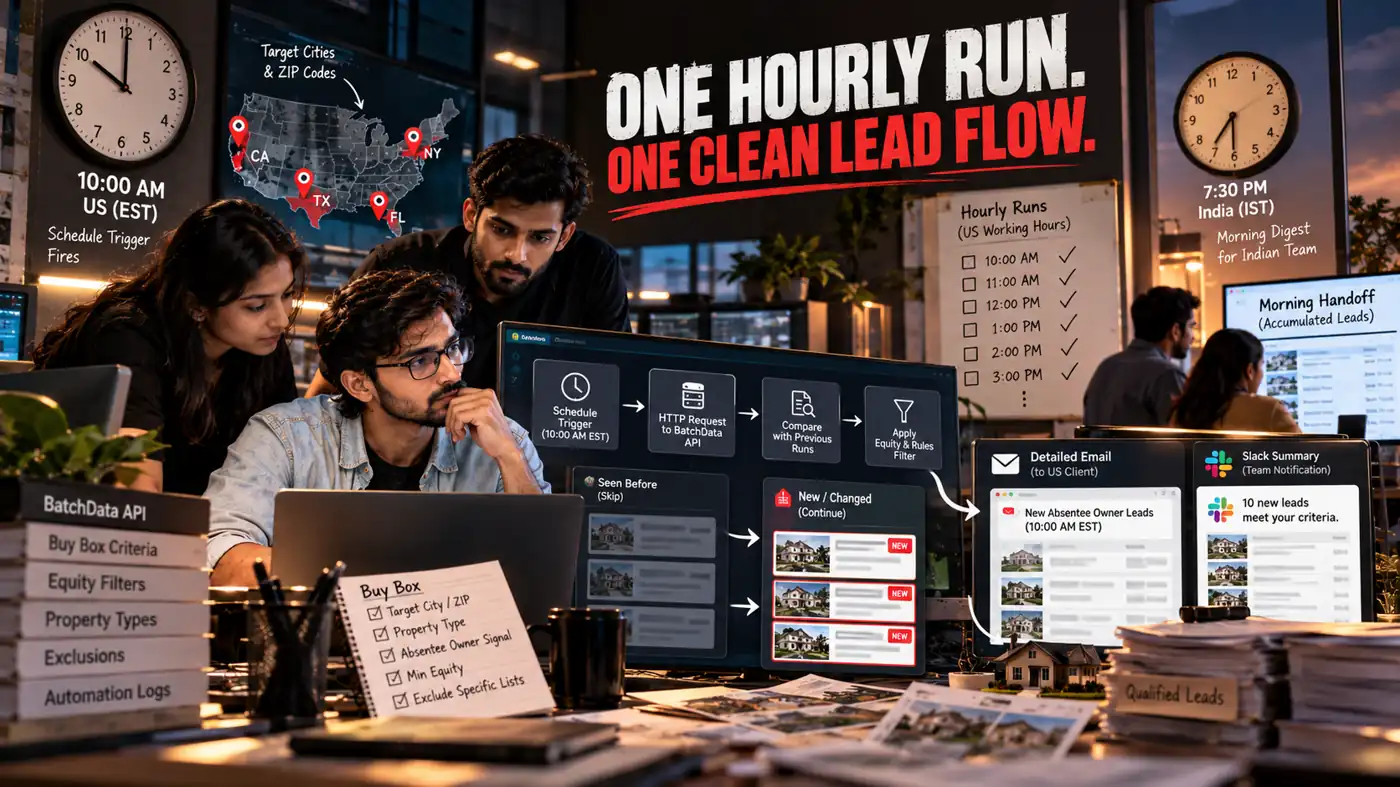
Example:
The timeline below uses the US client’s time zone.
10:00: the Schedule Trigger fires
The run begins at the top of the hour. The workflow follows the client’s time zone rather than IST.
Seconds later: the property request leaves
An HTTP Request sends the written buy box to the BatchData API.
The request can include:
- Target city or ZIP code.
- Property type.
- Absentee-owner signal.
- Equity criteria.
- Client exclusions.
The API key stays in a credential and travels through an authorisation header. Do not paste it into a Code node or message field.
The property response returns
The BatchData API returns the properties that match the current search.
My team maps the workflow against an actual response from the client’s account. Field names should not be guessed because the later comparison code depends on them.
The comparison begins
A Code node compares the returned property IDs and selected fields with the memory from earlier runs.
Previously seen and unchanged records leave the alert path. New or meaningfully changed records continue.
The final filter runs
An IF node applies the equity threshold and other written client rules.
The automation keeps the absentee-owned properties that meet those criteria. Everything else is skipped without creating an alert.
The outputs split
An SMTP email carries the detailed list:
- Property address.
- Owner name.
- Mailing address.
- Estimated equity.
- Relevant property details.
Slack receives a short summary pointing the sales team towards the detailed output.
Example:
4 new high equity absentee leads in Cleveland.
If nothing qualifies, the workflow sends nothing. An hourly message announcing zero leads would train the team to ignore the channel.
The schedule can follow the client’s US working hours.
Example:
The workflow can run every hour from 8 am to 8 pm Eastern. Outside those hours, it can keep storing results and send a morning digest when the US working day starts.
The Indian team’s shift matters too.
Example:
If callers begin at 6:30 pm IST, the first digest can arrive before their shift with the accumulated records sorted by equity.
That small operational detail respects the people doing the work. A night-shift caller should not begin by opening several tools and trying to work out which spreadsheet is current.
Lesson 3: Let the client define high equity properties
There is no universal equity threshold that turns a property into a good lead.
A buy-and-hold investor, wholesaler and fix-and-flip investor can define high equity properties differently. Installing one default number for every client would create false confidence.
I place the criteria in a settings block:
| Setting | Who decides | How it is supplied |
|---|---|---|
| Minimum equity percentage | US client | A number provided in writing |
| Target areas | US client | ZIP codes or city names |
| Property types | US client | Single family, multi-family and other selected types |
| Exclusions | Client and operations team | CRM records or suppression-list properties |
When the client changes direction, the team edits this block rather than searching through several workflow nodes.
The setting must remain easy to find because clients will adjust their buy box. A city may be removed, a ZIP code may be added or the client may focus on another property type.
The equity estimate still comes from property data. The client decides how it fits the acquisition strategy.
High equity properties are leads, not proof of motivation. Make sure the calling team understands that difference.
Lesson 4: Compare before sending real estate lead alerts
Many builders filter first because it feels efficient. Weak records are removed, and only the remaining properties reach the duplicate check.
I do the opposite.
The workflow compares everything returned by the market scan before applying the final client filter.
Example:
The client lowers the equity threshold next month.
In a filter-first design, memory contains only properties that passed the earlier threshold. Properties that appeared in every previous scan but failed that old rule were never stored.
Once the threshold changes, those older records can suddenly qualify. The memory does not recognise them, so the workflow reports them as new.
The sales team may receive a large batch of “fresh” opportunities that have actually appeared in the scan for weeks.
A compare-first design records every property returned by the search, even when the property fails the current final filter. A later threshold change does not make an old property look new.
Only properties that are actually new, or whose chosen fields have changed, continue.
This makes real estate lead alerts easier to trust. “New” means new to the scan rather than new to the latest version of the buy box.
If the client wants the backlog created by a criteria change, run a one-off export. Do not let hourly alerts disguise old records as new ones.
Lesson 5: Build new listing alerts around a stable fingerprint
The difficult part is not finding properties. It is remembering what the workflow has already seen.
Reliable new listing alerts need a stable property ID and a fingerprint containing only the fields that matter.
The Code node is:
// n8n Code node: keep only properties not seen before, or changed
const seen = $getWorkflowStaticData('global');
seen.props = seen.props || {};

const fresh = [];
for (const item of $input.all()) {
  const p = item.json;
  const key = p.propertyId;                  // stable ID from the API
  const fingerprint = JSON.stringify([p.equity, p.ownerMailingAddress]);
  if (seen.props[key] !== fingerprint) {
    fresh.push(item);                        // new, or something changed
    seen.props[key] = fingerprint;
  }
}
return fresh;
The property ID is the stable key. The fingerprint stores the equity value and owner mailing address.
A property continues when its ID has not appeared before or when the current fingerprint differs from the saved one.
This catches meaningful changes without treating every unchanged API response as a new lead.
Do not add fields to the fingerprint just because they are available. A field that changes constantly can make the same property look new during every run.
Workflow static data is saved during active production executions. Clicking test inside the editor does not save it in the same way, which can make duplicate testing confusing.
The first production scan should run silently. It fills the memory before the team begins receiving alerts.
For clients with thousands of properties, move memory out of static data. Google Sheets can handle smaller volumes, while Postgres can support larger ones.
Property and owner records need limited access. The UpcomingTools privacy policy explains how data shared during an implementation is handled.
If your current comparison step keeps sending duplicate properties, email upcomingtool@gmail.com with the buy-box fields and a description of how memory works today. Do not send API keys, owner records or contact details.
Lesson 6: Design for quiet failures and noisy Slack alerts
A failed workflow does not always display a large red warning to the operations team.
Sometimes it simply stops producing leads.
| Failure | What the team experiences | Response |
|---|---|---|
| BatchData stops responding | No new property records arrive | Send an error email to the team lead |
| No successful run in 24 hours | The workflow may be inactive | Send a daily still alive message |
| Buy box returns no records | Client may think the system is broken | Compare scanned and passed records in a weekly summary |
| SMTP email reaches spam | Detailed leads disappear from the sales process | Use a proper sending domain or transactional email service |
| First live run sends every property | Empty memory treats everything as new | Run the first scan silently |
| Minor field changes trigger repeats | Fingerprint tracks unstable fields | Keep only carefully chosen fields |
Quiet failures create doubt. The team wonders whether the client’s market has gone silent, the buy box is too narrow or the API has stopped answering.
Loud failures create another problem. If every small change produces a message, the sales channel fills with repeated records and people stop reading it.
Slack alerts should stay short. The detailed list belongs in email or a connected table.
The message should tell the caller what is ready, not force them to inspect raw property data inside Slack.
The workflow should also distinguish between “nothing qualified” and “the scan failed”. Those are different business situations and deserve different responses.
Lesson 7: Add a skip tracing API only after compliance is written down
The property search can provide an owner name and mailing address. The next possible step is finding the owner’s phone number or email.
BatchData offers skip tracing, and the workflow can call its skip tracing API for every new lead before preparing the detailed email.
Do not add that step automatically to every build.
The client must confirm:
- How the contact data will be used.
- Who is responsible for compliance.
- How Do Not Call checks will happen.
- Which calling or texting methods are approved.
- What the operations team should do with a flagged number.
Where the provider returns a DNC flag, the workflow can remove or mark the number. Where no flag is available, a separate DNC check is required.
A contact result does not prove the number is current. It also does not give the client or calling team automatic permission to use it.
The rules apply to the outreach, not only to the data collection.
Treat compliance as a gate in the workflow. The phone number should not reach the calling team until the approved checks have finished.
Lesson 8: Do not sell the US data model to an Indian broker
The search, comparison, filtering and alert pattern can be useful in India. The US owner-data model cannot be copied as it is.
| US workflow input | Indian reality | Required change |
|---|---|---|
| Owner and mailing-address records at scale | No equivalent open national dataset; state land records vary | Use the broker’s own enquiries and listings |
| Mortgage and equity estimates | Not publicly available per property | Remove equity |
| Absentee-owner flag | Not available | Use NRI owner only when the owner provided that information |
| MLS-style listing feeds | Portals exist, but terms often restrict scraping | Use official partner options or the broker’s own inbox |
| RERA registration | Project information on state RERA portals | Use it for project updates rather than resale-owner leads |
The automation pattern survives. The meaning changes.
An Indian broker can use scheduled checks for new enquiries, listing updates or RERA project information. Calling that system an absentee-owner database would be misleading.
The Indian version needs its own data, consent process and sales rules. Its real estate lead alerts would come from broker-controlled inputs rather than US owner records.
A small note for students and teams learning this skill: I offer free services to some eligible people starting with zero or very little money, especially those trying to support their family or build automation that helps others. Fast-money requests are not a fit; I look for passion, hard work and evidence that the person is willing to learn and maintain what is built.
Lesson 9: Build absentee owner list automation with my team when ownership matters
My team builds the workflow inside the client’s or service provider’s n8n environment.
What you see here is a sample workflow. When we build it for you, the choice of automation platform is yours, whether that is something you already use or a custom solution.
The handover can include:
- Hourly property searches with a buy-box settings block.
- Comparison memory using static data, Google Sheets or Postgres.
- Detailed email output.
- Short Slack alerts for the sales team.
- Error alerts.
- Weekly scanned-versus-passed summaries.
- Optional skip tracing and DNC checks.
- New listing alerts that exclude unchanged records.
- Written instructions for changing criteria.
The setup requires:
- The client’s buy box in writing.
- A BatchData account with BatchData API access.
- The Slack workspace used by the sales team.
- The email address and sending method.
- The client’s written position on calling compliance.
My team begins by confirming the buy box and mapping a real API response. The first scan runs silently to fill the memory.
The first live alerts are reviewed with the operations team for a few days. Skip tracing is added only when the client requests it and confirms the compliance process.
From agreement to a working list workflow, the usual time is 7 to 10 days, and a week is the quickest I would commit to.
A bigger build with more markets or extra checks depends on your requirements, which we confirm through calls and emails. I explain it by phone and on Zoom with screen sharing, so you see the design as it comes together.
Live screen sharing lets the client watch the request, comparison, filter and alert paths being built. The handover is not meant to leave the Indian team dependent on my team for every future buy-box change.
The client keeps control of the property-data account, workflow, Slack workspace and email system.
You can read about UpcomingTools before granting access to a property workflow. The refund policy explains the terms for paid work, and the contact page is available when the client is ready to document the buy box and compliance position.
Lesson 10: Treat US calling law as the final gate
A lead returned by a skip tracing API is contact data, not permission; the TCPA, FTC National Do Not Call Registry and state rules still apply when calls are made from India.
If the client says, “Don’t worry about DNC,” do not switch on the calling workflow.
