

About Us
The argument in favor of using filler text goes something like this: If you use real content in the Consulting Process, anytime you reach a review point you’ll end up reviewing and negotiating the content itself and not the design.
The Voiceflow Zendesk Integration I Build for Indian Fintech Founders With Small Support Teams
The Voiceflow Zendesk Integration I Build for Indian Fintech Founders With Small Support Teams
The Voiceflow Zendesk Integration I Build for Indian Fintech Founders With Small Support Teams
In fintech support, the bot never makes a decision about somebody’s money. A Voiceflow Zendesk integration can collect safe details, create a record and bring in a person, but refunds, payment outcomes and fraud decisions stay with the human team.
That boundary matters because a failed debit is not an ordinary support problem. The customer may not know if the money is delayed, lost or taken by somebody else. They see a balance change, receive no useful answer and begin wondering if the app they trusted is still safe.
A support person feels pressure from the other side of the screen too. They may be handling a long queue, checking transaction systems and trying to calm several worried customers at once. Good automation should reduce that pressure without taking over decisions the support team must own.
Where does fintech customer support automation earn trust?
A support delay about a delivery date is frustrating. A delay involving money can feel threatening because the customer has lost control of something important and does not know what will happen next.
Fintech customer support automation earns trust by creating a clear first response:
- The complaint is acknowledged.
- Safe details are collected.
- A ticket number is generated.
- The customer receives the published next step.
- A person receives the full context.
- A direct request for human help is respected.
The workflow is useful for Indian fintech startups, NBFCs, lending apps, payment services, wallet apps, insurance advisors and edtech businesses working with EMI or loan partners.
It also suits small support teams serving a much larger customer base. For a two-person support team, every repeated question takes time away from payment disputes, fraud reports and complaints that require judgement.
Good fintech customer support automation does not aim to keep every customer away from a person. It sends routine questions down a quick route and makes human attention easier to reach when the issue involves money, distress or uncertainty.
What should the bot handle, and what stays human?
The bot handles repeatable work. People handle judgement, financial outcomes and complaints.
| Customer need | Bot responsibility | Human responsibility |
|---|---|---|
| How-to question | Give the approved help-centre answer | Update the content when the process changes |
| Address or KYC update steps | Explain the official procedure | Review exceptions or failed changes |
| Failed payment | Collect safe details and create a Zendesk ticket | Check transaction systems and decide the resolution |
| Fraud or unauthorised activity | Point to the official blocking channel and raise an urgent record | Secure the account and investigate |
| Refund question | Share the published policy and log the complaint | Approve, reject or process the refund |
| Request for a person | Offer call slots without arguing | Speak with the customer |
| Complaint about staff or recovery agents | Escalate immediately | Review and resolve the complaint |
| Chat transcript | Save it for support review | Decide what should improve and when data should be deleted |
This responsibility map should be approved before anybody starts connecting nodes. If ownership remains vague, the bot slowly begins doing work it should never have received.
A payment complaint must not end with a friendly paragraph and no record. A fraud message must not enter the same queue as an address-change question. A request for a person must not become another round of “please choose an option”.
Automation should make responsibility clearer, not hide it behind a chat interface.
How is the workflow designed and delivered?
My team begins with the support policy rather than the chatbot screen. The first discussion covers what the bot may ask, what it must never ask, which messages create urgent cases and where a customer can reach a person.
This is an example of how the pieces connect. For your business the platform can be different, because my team builds on the automation tool you choose or the one you already have.
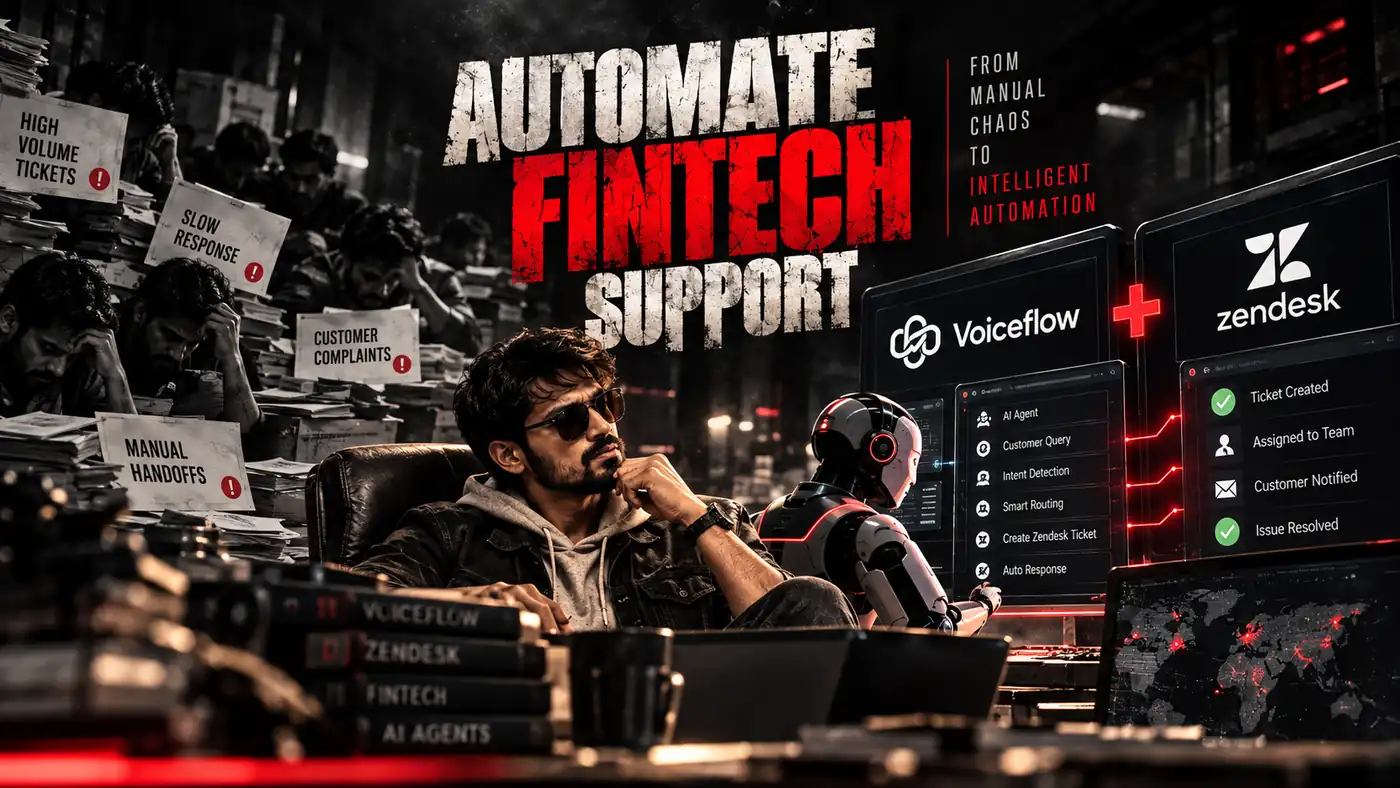
Most builds like this are finished within 7 to 10 days, and I would never promise less than a week.
Complex support set-ups depend on your tools and rules, which we work out through calls and emails. The design is explained on a phone call first, and then on Zoom with my screen shared while it is built.
The workflow stays inside the client’s Voiceflow, n8n, Zendesk, Google Calendar and Airtable accounts. The client keeps control of the credentials, support data and execution history.
The refund policy explains the terms for paid implementation work before a project begins.
How do three different support requests move?
The customer experiences one assistant, but the request can take a very different path behind the screen.
Example: a customer wants to change their address
The customer types, “How to change address?”
The bot gives them the approved steps from the help centre. It asks whether the answer solved the problem and closes the chat politely when they say yes.
Voiceflow recognises a simple how-to intent. The workflow does not need to run, and no support ticket is created. The transcript is still stored at the end for review.
Many routine chats fall into this category:
- How can I update my KYC details?
- Where can I download a statement?
- What charges apply to my account?
- How do I update my address?
- Where can I see my repayment schedule?
These questions need an approved answer, not an agent opening another queue.
Example: a recharge fails after money is debited
The customer explains that the recharge failed but the amount was deducted.
The bot apologises and asks for their registered mobile number, transaction date and amount. It repeats the details back so they can correct them before the request continues.
Voiceflow sends the information to a Webhook. The workflow looks up the customer using the registered mobile number stored in the customer sheet or database.
The Switch node recognises a money-related intent and routes it to Zendesk. The system creates a high-priority record tagged failed-transaction.
The ticket number returns through the workflow platform to Voiceflow. The customer receives the number, the official published timeline and a clear explanation of what happens next.
The bot does not ask for an OTP. It does not promise a refund date, and it does not diagnose the payment failure without access to the actual transaction system.
A person from the operations team owns the financial outcome.
Example: a customer asks to speak with somebody
The customer writes, “I want to talk to a person.”
The bot does not argue or force them through more troubleshooting. It offers three available call slots and confirms the one they select.
The workflow checks the shared support calendar and returns open times to Voiceflow. After the customer chooses, the workflow creates the event with their email and a short description from the conversation.
The related support record notes that a call has been booked. The agent can understand why the customer requested help before speaking with them.
These routes feel different to the customer because the needs are different. Behind them, Voiceflow manages the conversation, the workflow handles decisions and connections, and the support team owns anything involving money or judgement.
How does the Voiceflow Zendesk integration work?
The main workflow contains seven nodes:
| Order | Node | Job |
|---|---|---|
| 1 | Webhook | Receives the intent, message and collected details from Voiceflow |
| 2 | Customer lookup | Finds the customer in Google Sheets or the company database |
| 3 | Switch | Routes the request to ticket, booking or transcript-only branches |
| 4 | Zendesk | Creates or updates a ticket with tags, priority and summary |
| 5 | Google Calendar | Reads available slots and creates a booking |
| 6 | Airtable | Stores the transcript and outcome |
| 7 | Respond to Webhook | Returns the ticket number, slots or confirmation to Voiceflow |
The Webhook receives the recognised intent, customer message and details collected in the conversation.
Customer lookup runs before the Switch node. Knowing whether the customer exists in company records changes how the request should be routed.
An unknown number asking about a refund should not receive the same path as a verified customer. The lookup result becomes part of the routing decision rather than an extra check performed after the ticket has already been created.
The Switch can select several paths:
- A routine question needs only an answer and transcript.
- A money problem needs Zendesk.
- A request for a person needs Google Calendar.
- A payment complaint followed by a call request may need both.
Respond to Webhook sends the result to Voiceflow. The customer then sees a ticket number, available call slots or a confirmation message.
I keep the workflow platform between Voiceflow and Zendesk because routing rules change. A compliance or operations team may add a new handoff rule, verification check or escalation path.
Keeping those decisions in a visible Switch node lets my team update one routing point rather than rebuilding the whole conversation.
Why does customer verification happen before routing?
Customer verification is one of the most sensitive parts of fintech support.
Fraudsters imitate support agents to steal OTPs and PINs. Customers have been taught, correctly, never to share them.
| The bot may ask for | The bot must never ask for |
|---|---|
| Registered mobile number or email | OTP of any kind |
| Last four digits of an account or card, when policy permits | Complete card number, CVV or expiry |
| Transaction date, amount or reference number | UPI PIN, ATM PIN or net-banking password |
| Name as recorded | Aadhaar number or photographs of ID documents in chat |
The conversation should state early that the company will never ask for an OTP or PIN. That short warning helps the customer recognise an impersonation attempt elsewhere.
Good customer verification also needs a safe failure path. When the registered mobile number does not match, the bot should not confirm whether an account exists.
It can say that it cannot find the details, provide the official support route and log the attempt. It should not say, “This number is not registered,” because that answer can help somebody test which phone numbers belong to customers.
Customer verification protects the account even when the check fails.
What goes into the Zendesk ticket?
A useful ticket saves the customer from repeating the same anxious explanation to another person.
| Field | Information |
|---|---|
| Subject | Short summary, such as Failed recharge, amount debited |
| Requester | Customer name and email returned by the lookup |
| Tags | Intent such as failed-transaction, refund, KYC or complaint, plus chatbot as the channel |
| Priority | High for money and fraud, normal for other requests |
| Custom fields | Transaction date, amount and reference number |
| Internal note | Conversation summary and a link to the full transcript |
Agents can filter the Zendesk view by priority and tag. Managers can also compare how many failed-transaction cases arrived through chatbot, email or other support routes.
The Zendesk ticket should contain enough context to begin work. It should not contain secrets the bot had no reason to collect.
A transaction reference may help the operations team locate a payment. An OTP, PIN or CVV has no valid place in the conversation or ticket.
The person handling the case still decides the result. The bot makes the issue visible, dated and easier to understand.
How do Google Calendar booking and Airtable transcripts help?
The Google Calendar booking branch reads a shared support calendar and filters it to working hours in IST.
It returns the next few available slots to Voiceflow. When the customer selects one, the workflow creates the event using the customer’s email and a short description from the chat.
Calls should use short slots so one request does not fill the calendar. The related Zendesk ticket receives a note confirming the booking, which gives the agent context before the conversation begins.
Google Calendar booking is not meant to delay urgent help. Fraud, unauthorised access and card-blocking requests should follow the official urgent route rather than waiting for an ordinary call slot.
Airtable transcripts serve another purpose. Reviewing a sample every week reveals which answers confuse people, which intents are missing and where customers abandon the conversation.
The review can also show:
- Questions that repeatedly reach a person.
- Hinglish phrases the assistant fails to recognise.
- Approved replies that need clearer wording.
- Places where the bot asks for information it does not need.
- Requests that should become new escalation routes.
Airtable transcripts do not make the assistant better by themselves. Somebody has to read them and change the conversation or routing logic.
Keep transcripts only for as long as they are needed. Remove personal details that do not support the service or review process.
Airtable is useful for learning from support conversations, but it is not a long-term home for sensitive financial information. My team sets a retention period and a process for deleting records on request, in line with the Digital Personal Data Protection Act, 2023.
The privacy policy explains how customer samples shared during a build are handled.
Why do I build some workflows free?
Not everyone who needs automation can afford a custom build.
Some students are trying to create their first useful project without family money behind them. Some people are starting from zero or with very little, while others want automation so they can support their family, help a local business or build something that serves other people.
I keep a free services option for eligible people in those situations. I cannot accept every request, but I read the reason behind the idea and look for effort, patience and a willingness to do the work after the workflow is handed over.
People looking only for fast money are not a fit. Automation cannot replace commitment, and a free workflow is wasted when the person does not care enough to learn how it works.
Passion matters, but so does hard work. A student who has spoken to users, written down the problem and tried a manual version shows more readiness than somebody who only says, “Build me an AI business.”
My team at UpcomingTools is small, and this service exists because I know what starting with limited resources feels like. The about page explains more about who is behind these builds and why I focus on practical automation for Indian founders, students and small teams.
What can the Voiceflow chatbot safely promise?
Regulated entities in India work under RBI rules on grievance redressal.
The RBI framework on turnaround times for failed transactions sets deadlines for reversals and, in many cases, compensation for delays. Under the RBI Integrated Ombudsman Scheme, a customer can approach the RBI Ombudsman when a complaint is not resolved within the set period or is rejected.
The Voiceflow chatbot should quote only the company’s approved, published policy.
It must not:
- Invent a refund date.
- Promise compensation.
- Guarantee a result.
- Claim that a payment has been reversed.
- Say that fraud has or has not occurred.
When the outcome is uncertain, the correct response is a ticket number and the published timeline. A comforting guess can create a larger complaint later.
I check the current circulars on rbi.org.in with the client’s compliance person before launch because requirements can change.
The Voiceflow Zendesk integration creates a dated record from the customer’s first message. If a complaint later reaches the RBI Ombudsman, the team can show when it was raised, what details were collected and how it was handled.
In what order should you build it?
The support rules should exist before the chatbot.
- Write the handoff and customer verification rules with the compliance or operations lead.
- List the top 30 customer questions and approved answers.
- Build the conversation intents and the API step that calls the n8n Webhook.
- Create the flow with Webhook, lookup and Switch, followed by the Zendesk, Calendar and Airtable branches.
- End the workflow with Respond to Webhook.
- Connect Zendesk using an API token.
- Connect Google Calendar through a service account or OAuth.
- Connect Airtable with a personal access token.
- Store every credential inside the workflow platform rather than in plain node fields.
- Test routine, money, fraud, complaint and human-handoff intents.
- Launch on one channel, such as website chat, before adding it to the app.
Plan a period of close watching after launch. Read transcripts daily during the early stage, correct replies that confuse customers and add intents for questions the team did not expect.
Fintech customer support automation improves fastest when real messages show how people describe their problems. Someone may write “refund pending”, “paisa wapas nahi aaya” or “reversal not received”, and all of them may need the same route.
If you want me to review the current support path, email upcomingtool@gmail.com with an anonymised money-related message and explain what should happen after the customer sends it. Do not include an OTP, card number, PIN or private account record.
Where does this workflow fit best?
The main structure remains similar across several fintech-related businesses, but the rules change.
NBFCs and lending apps: EMI dates, foreclosure steps and statement requests can receive approved answers. Payment disputes and recovery-agent complaints should move to people quickly.
Payment and wallet apps: Failed-transaction flows are central. Every money complaint needs a clear record because the support volume can be high.
Insurance advisors and brokers: Policy-document requests, renewal reminders and claim-status questions can be handled automatically. Claim disputes should go to a person.
Edtech businesses with EMI or loan partners: Fee and refund requests follow the same money rules even though the business itself may not be a lender.
The common backbone remains:
- A Voiceflow chatbot manages the conversation.
- The workflow applies routing and connects the systems.
- A Zendesk ticket records anything involving money.
- Google Calendar booking gives customers a human-call route.
- Airtable transcripts help the team improve the support experience.
This setup works best when support policies already exist and somebody owns escalated cases.
Is the Voiceflow Zendesk integration right for your team?
It is a good fit when customers ask the same questions every day, the company uses or plans to use Zendesk, and money complaints are getting lost inside unstructured chat.
It also helps when customers repeat themselves after handoff, agents create tickets manually and human-call requests have no clean booking route.
It may not be the right first step when:
- Only a few chats arrive.
- Refund and grievance timelines are not written down.
- Nobody owns escalated tickets.
- Approved answers change depending on the agent.
- The team has not decided which data the bot may collect.
- Nobody is available to review transcripts and improve the workflow.
A chatbot can follow a clear process. It cannot repair a support operation that has no agreed process.
Three things I refuse to automate in fintech support
- Asking for OTPs, PINs or complete card details
No support bot should ask for an OTP, UPI PIN, ATM PIN, net-banking password, CVV or complete card number. It should remind customers that the company will never request these secrets.
- Deciding refunds or promising financial outcomes
The bot may collect a transaction date, amount and reference number, create a high-priority record and share the official timeline. It must not approve a refund, invent a reversal date or promise compensation.
- Blocking access to a person
When somebody asks for a human, the bot should respect the request. If your current setup still makes worried customers fight the chat before reaching help, use the contact page to redesign that path.
