
Automation in Retail Shops in India: Sell More at the Counter and Keep Customers Coming Back
A retail shop rarely loses money in one big event. It loses it in small, quiet ways that nobody records. A customer walks out of a long line, a regular quietly stops coming, and the month ends short of target before anyone notices.
Automation in retail, for a small shop, is not robots, self-checkout machines or expensive screens. It is the billing data, the CCTV, the phones and the customer list the shop already has, connected so that the right person gets the right nudge at the moment they can act on it. This guide to automation in retail follows a customer through the shop and explains the seven setups my team builds most often for retail: the problem each solves, how it works and where it fits.
What automation in retail means for a small shop
Large chains buy retail automation software as a platform: billing, inventory, loyalty and analytics in one product, run by a team. The automation in retail industry reports talk about cashierless stores and robots in warehouses.
For a small shop, useful automation in retail reads what the shop already records, turns it into one clear action, and sends that action to one person. A person always makes the final call.
Seven retail automation solutions at a glance
| Moment in the customer’s journey | Problem in the shop | Retail automation solution | Who acts on it |
|---|---|---|---|
| Before the visit | No photos or catalogue to show | Phone photos turned into images, videos and a catalogue | Owner and staff |
| Waiting at billing | Long lines, walk-outs | CCTV counts the line and calls staff to open a counter | Floor staff |
| At the counter | Small average bill | One sensible add-on suggested from past bills | Cashier |
| On the floor | Staff cannot explain products | Answers in the owner’s voice through an earpiece | Sales staff |
| After the visit | Regulars quietly stop coming | Repeat customers scored, drifting VIPs flagged | Owner, by phone |
| Every afternoon | Month ends short of target | Forecast and the amount needed per remaining day | Owner |
| When the owner is away | Shop runs differently without them | One app for staff, CCTV, sales and voice instructions | Owner, remotely |
Before the visit: ecommerce product photography from a phone
Ecommerce product photography for a small shop starts with the only manual step: five or six phone photos of each product on a plain cloth near a window, front, back, top, bottom and a close-up, saved in a folder named with the product code. One person can cover 20 to 30 products an hour. A simple form on the shop phone starts the workflow, and Gemini checks that all the photos show the same product. It then cleans the background and light of the main photo; this is where creative product photography happens without a studio or product photography backdrops. A video model turns the stills into an 8 to 15 second clip, and the catalogue entry, with the name, short description, price from the register and search words, is written automatically.
Staff can search the catalogue on their phones and show two or three matching videos in about 30 seconds instead of walking every shelf. The same images serve product photography for ecommerce listings, so selling online becomes uploading, not reshooting. The full method is in my guide to ecommerce product photography from a phone.
Waiting at billing: a queue management system using CCTV
How computer vision retail automation counts the line
This is computer vision retail automation in its simplest form. Software looks at a marked zone in front of each billing counter and counts the people standing in it, and how long that count stays above a limit the owner sets. A second zone at the entrance counts people coming in each hour. It never recognises faces or identifies anyone.
The queue management system runs on one rule, for example more than four people at a counter for longer than two minutes, tuned after watching the shop’s own rush hours. When the rule triggers, a small speaker plays a short message in the owner’s recorded voice where the nearest free staff member works. If nobody opens the counter within a minute or two, the owner’s phone gets an alert.
Retail AI vision automation that staff accept
Retail AI vision automation only works if staff trust it. Cameras used for counting cover the billing area and the entrance, never rest areas or washrooms, and staff are told exactly what is counted. Processing on a small box inside the shop keeps video on the premises. The weekly rush report then shows which half-hours are crowded, so the second counter opens before the peak, not during it. The setup and five fixes that shorten the line are in my guide to a queue management system for retail shops using CCTV. ## At the counter: cross selling vs upselling, automated
Which one belongs at a small shop’s counter
Cross selling vs upselling is a question every retailer meets. Upselling offers a bigger or better version of what the customer already chose: the 1 kg pack instead of 500 g, the better model. Cross-selling offers something that goes with it: the cable with the charger, the stand with the plant pot. At a busy billing counter, a cross-sell usually works better, because it adds to the purchase without asking the customer to rethink it. A good cross sell up sell habit is one suggestion, said once, never a list.
How cross sell analysis finds the right pairs
The suggestions come from the shop’s own bills, not from guesses. Every week, the automation runs a cross sell analysis on the last 90 days of bills. For each pair of items, it measures how often they appear together and calculates lift: how much more likely the second item is when the first is in the bill.
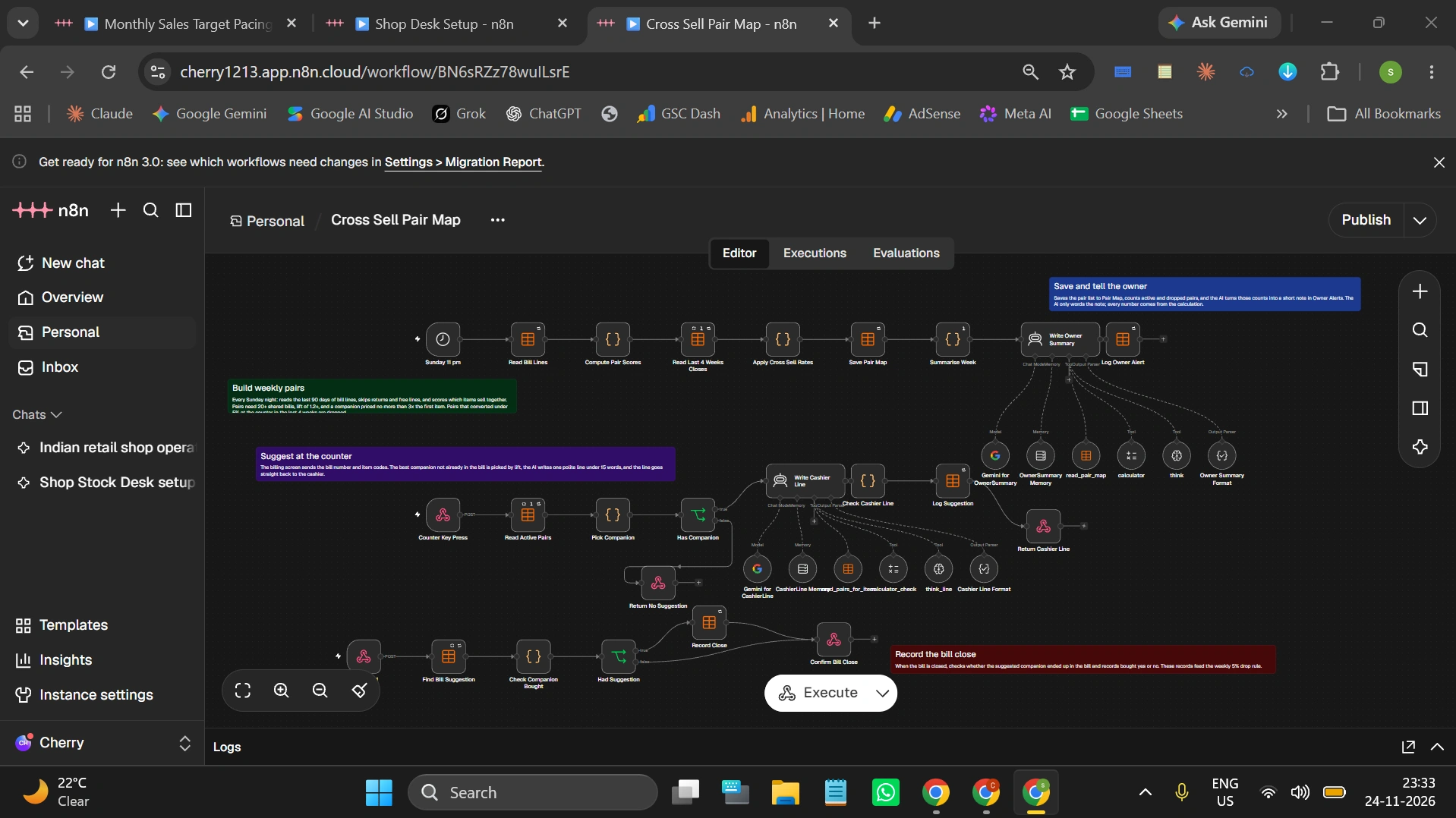
Example, with illustrative numbers: out of 3,000 bills, 400 contain a phone charger and 60 of those also contain a cable. That is 15%. Cables appear in 5% of all bills, so the lift is 3.0, a strong pair.
A pair is kept only if it appears together in at least 20 bills with a lift of at least 1.2.
Measuring the cross-sell rate
When the cashier presses a key in the billing software, the shop’s own map returns the best companion for the items in the bill. When the bill closes, the automation records whether the suggested item was bought. That gives every pair a cross-sell rate: suggestions accepted divided by suggestions shown. Pairs below 5% over four weeks are dropped automatically. The same logic applies to cross selling ecommerce shops, where the suggestion appears on the product page instead of at the counter. The build is in my guide to cross selling vs upselling at the billing counter.
On the floor: an AI shop assistant in the owner’s voice
An AI shop assistant is a small counter device with a speaker and microphone, plus an earpiece for staff. Behind it sits an AI agent with two kinds of memory: a shop knowledge base with products, prices, offers and rules, updated weekly, and a customer memory with regulars’ names and usual purchases. It starts small, with the twenty or so questions customers ask most, answered in the owner’s own words over about three evenings of recording, and it speaks in the owner’s voice only with clear consent.
The assistant never pretends to be a person; anything that needs judgment goes to a human. The full setup is in my guide to the AI shop assistant that trains staff in the owner’s voice.
After the visit: repeat customers and retail marketing automation
Scoring repeat customers by recency, frequency and value
The automation scores every customer phone number in the last 90 days of bills on three measures: days since the last purchase, number of purchases and average bill value. Each is ranked against the shop’s own customers on a scale of 1 to 5. A total of 12 or more marks a VIP. A VIP is flagged as drifting when the days since their last bill are more than twice their usual gap and at least 30 days.
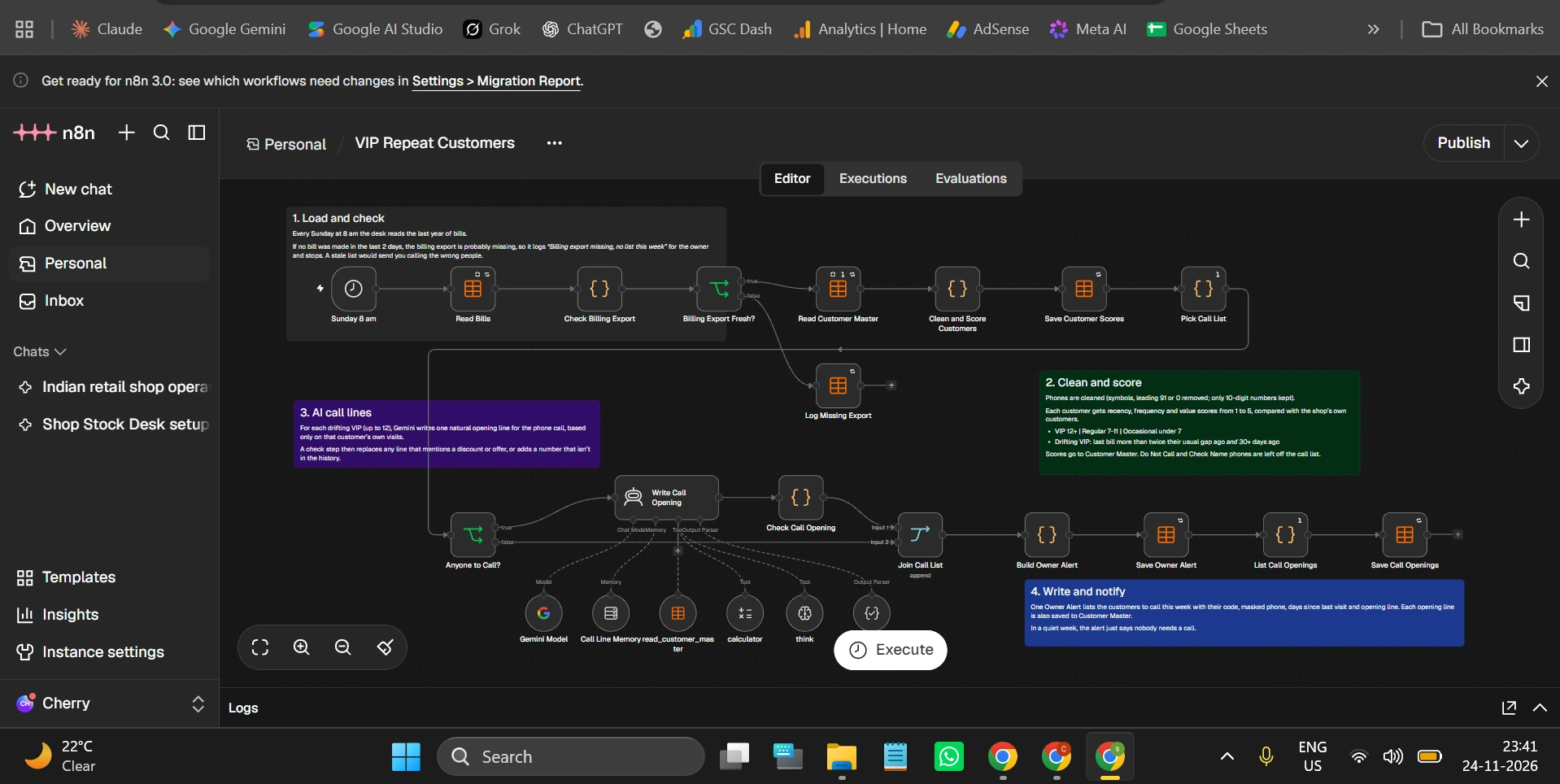
Every Sunday morning, the owner gets one Owner Alert with five to twelve customers, each with a masked phone number and a short, natural line to open the call.
Marketing automation retail shops can trust
Most retail marketing automation focuses on sending more messages. The more useful marketing automation retail shops can run is this: the system finds the right few people, and a person makes the call. That list is never used for bulk promotions, which belong in a separate, opt-in channel. A shop that keeps its customer list this way also has the base of a cheap CRM for small business, without paying for one. The method is in my guide to VIP customer detection for repeat customers. ## Every afternoon: monthly sales target pacing
Why “half the month, half the target” misleads
Most owners check progress against a monthly sales target with one rough question: is half the target done by the 15th? No shop sells evenly. Weekends are busier, the week after payday is stronger, and closed days earn nothing. A shop at 45% by the 15th may be on track if its strongest weekends are ahead, or badly behind if it just had its best week.
How the 4 pm forecast works
At 4 pm on every open day, the automation projects today’s full sales from the share a normal day of this weekday usually sells before 4 pm, then adds each remaining day of the month at its weekday average from the last 60 days, counting holidays as zero. The result is a forecast and the one number that matters: the amount needed per remaining day.
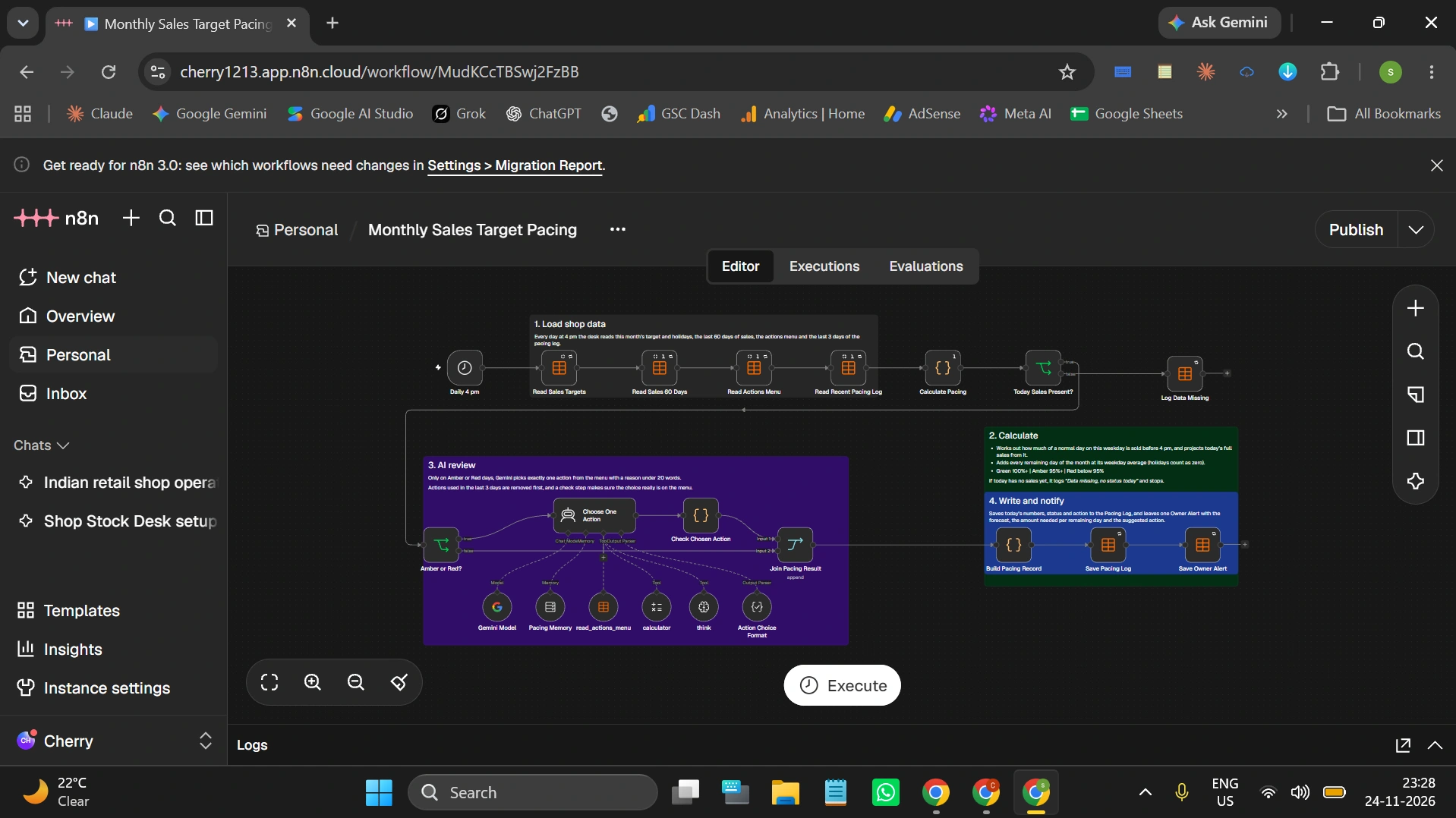
The status shows Green at 100% of target or more, Amber from 95%, and Red below that.
When the status is Amber or Red, an AI step picks one action from a short list the owner wrote in advance, such as calling regulars or moving a slow category to the front, and never invents a discount. The method, the back-test and the next-month target rule are in my guide to monthly sales target pacing. In practice, the fastest way to close a small gap is usually the two setups above: a few VIP calls and better add-on suggestions.
When the owner is away: remote shop management
Remote shop management puts the owner’s knowledge, voice and daily numbers in one place. One phone app then shows four things: who is on duty, the live camera view of work areas, the day’s sales so far, and the instructions running today. Small speakers in each zone play instructions in the owner’s recorded voice, in a chosen tone, to one person, a few people or everyone. A recorded morning briefing plays at opening. At closing, one message shows total sales against the same weekday last week, the cash and UPI split, and anything unusual.
The full setup is in my guide to a remote shop management app.
Retail automation software: build, buy or combine?
Most retail automation software sold to small shops does one of these jobs inside its own app: a loyalty app, a queue display, a billing system with a CRM module. Some offer a CRM with inventory management and barcode inventory management built in, which suits shops that want one vendor for everything. Others are better served by keeping their billing software and adding automation in retail around it.
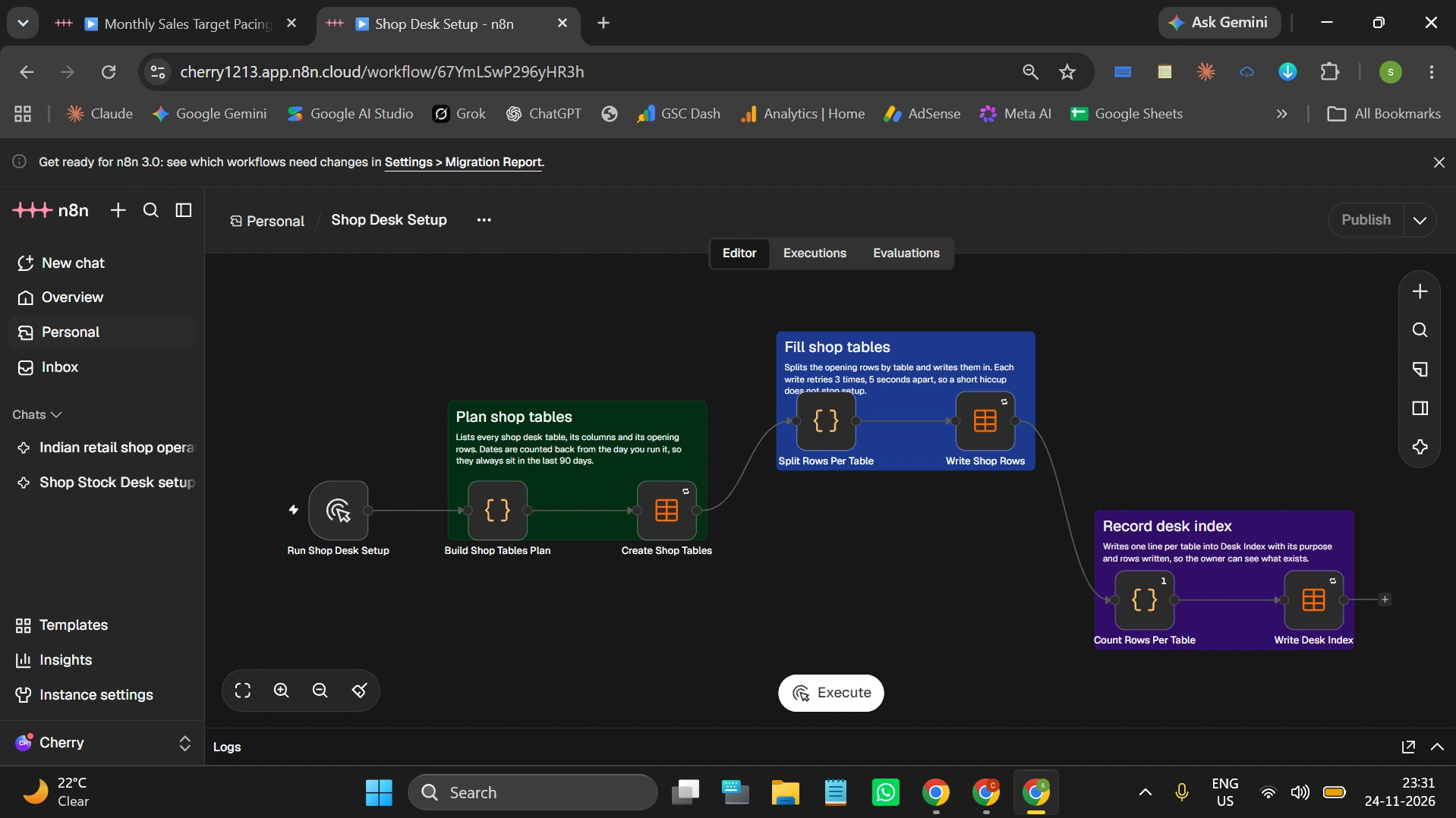
| Need | Free or low-cost option | When to pay for a product |
|---|---|---|
| Logic and schedules | Google Sheets formulas, or n8n self-hosted | Many branches or real-time alerts |
| Messages to the owner | Owner Alerts tab, read on the phone | Messages to customers at scale |
| AI steps | A chat model inside an n8n AI Agent | High daily volume |
| Camera counting | Existing CCTV with a small box in the shop | Several counters and entrances |
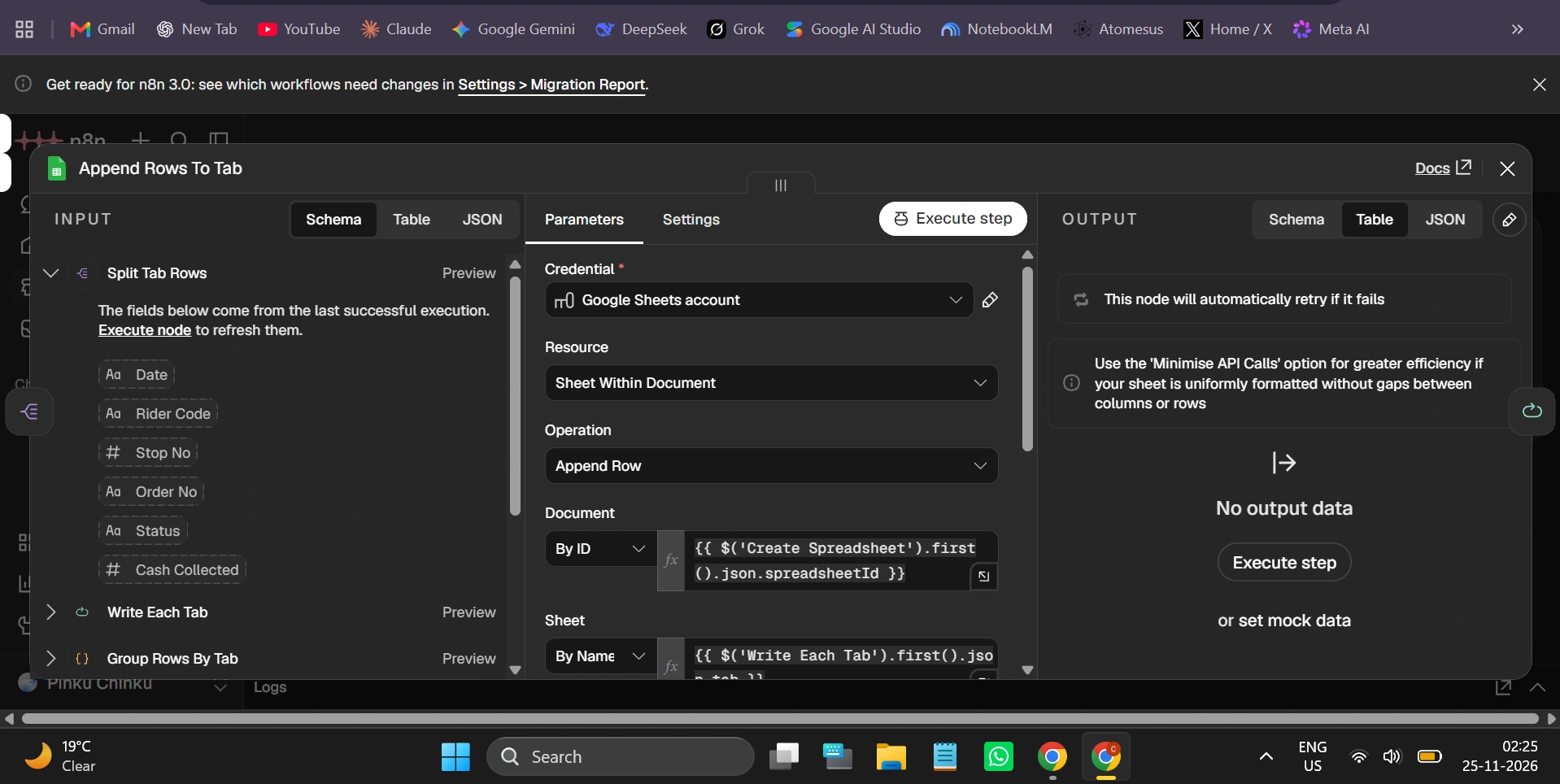
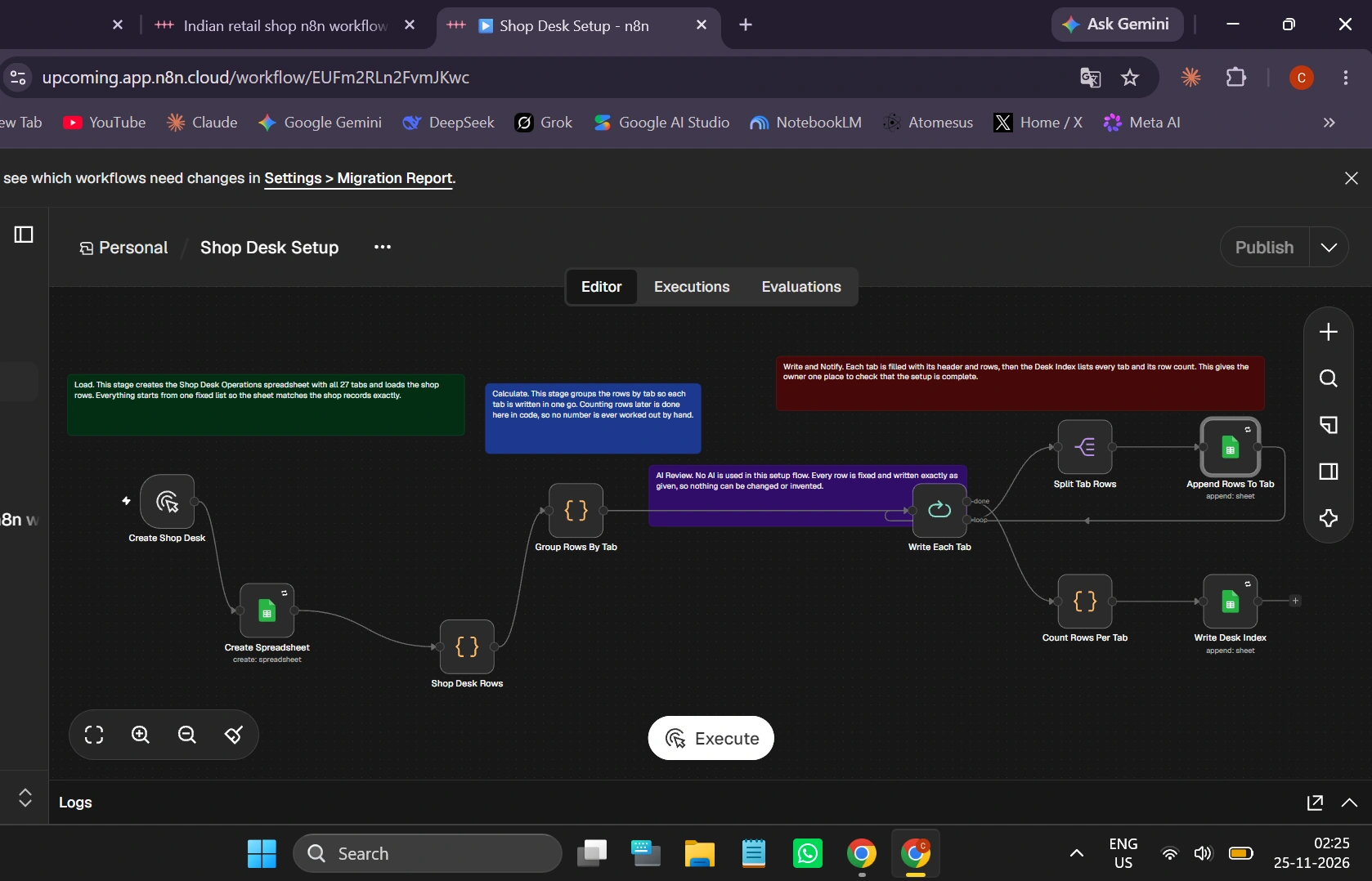
The workflows in these guides are built in n8n; its official documentation covers every scheduled, sheet and AI step used. Stock-side problems, such as dead stock, expiry and branch transfers, are covered in my guide to inventory management for small business, and they share the same billing data as everything on this page.
Automation in retail industry trends that actually reach small shops
Not every trend in the automation in retail industry matters to a small shop. Three do. Cameras already on the wall can now count, so vision tools that once needed special hardware work on ordinary CCTV. Voice tools are becoming practical in Indian languages, with India’s Bhashini initiative building speech and translation for them. And open networks such as ONDC let a local shop list its catalogue for online buyers without building its own website.
Proof of our work on real dashboards
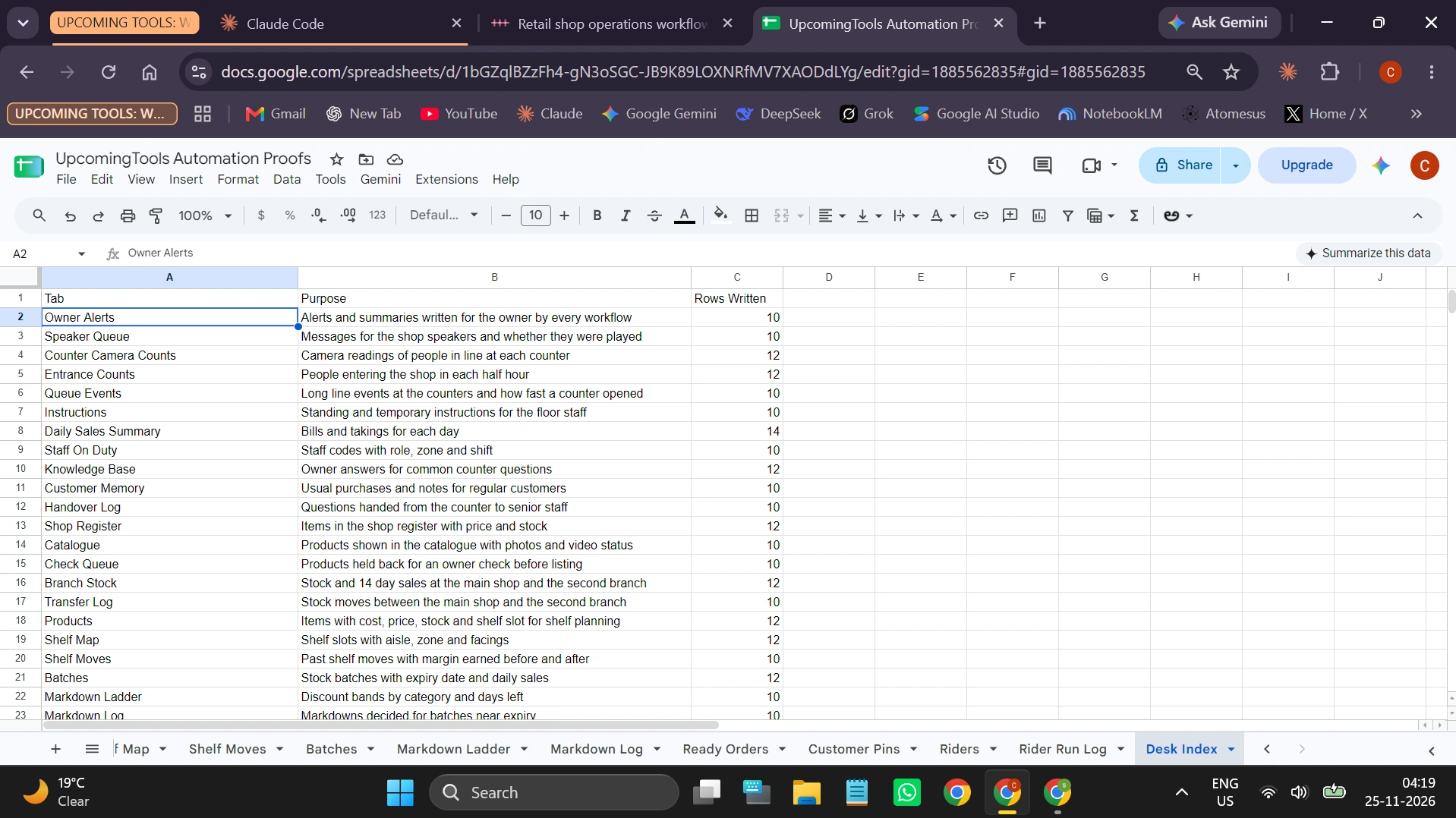
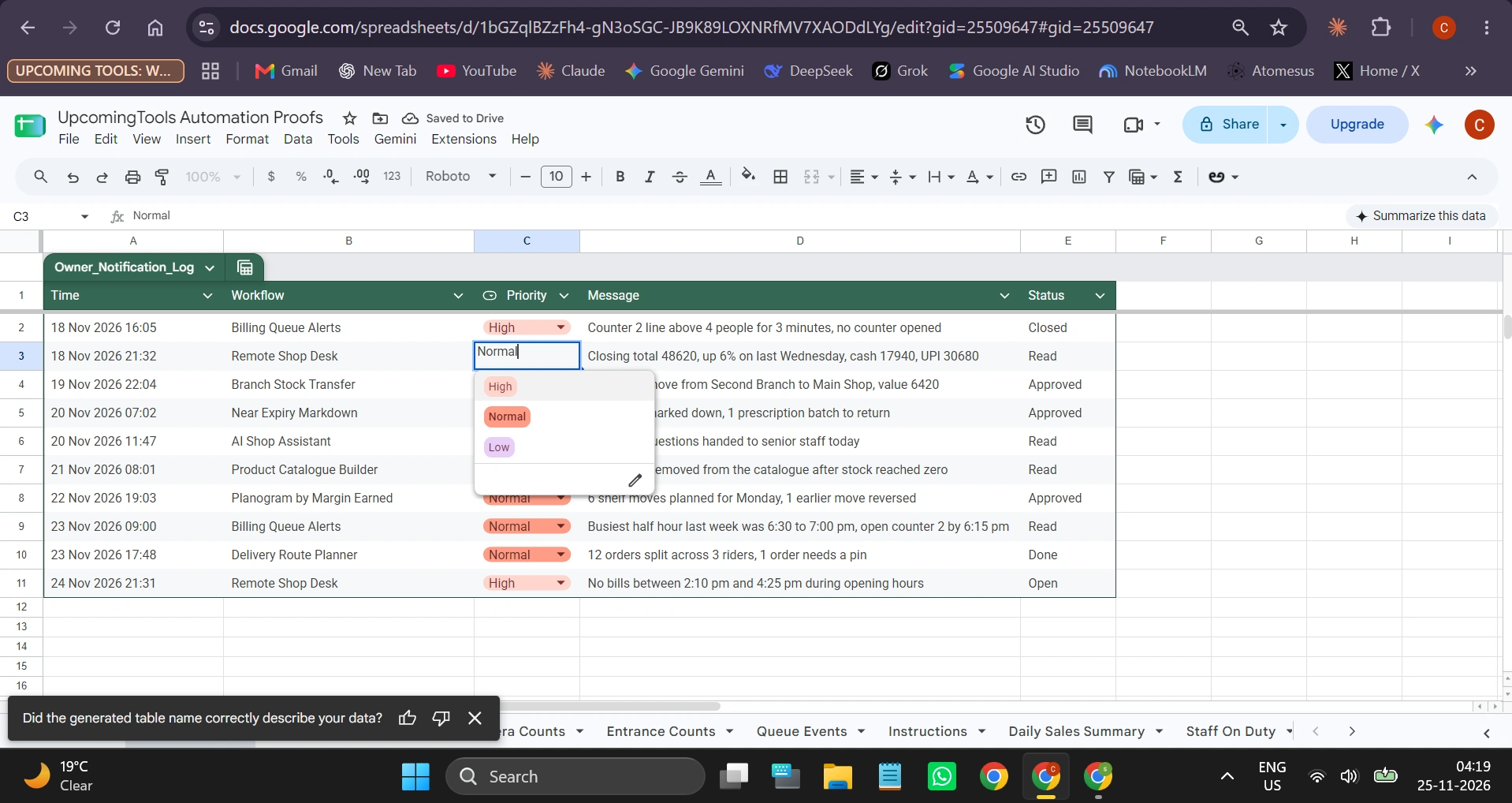
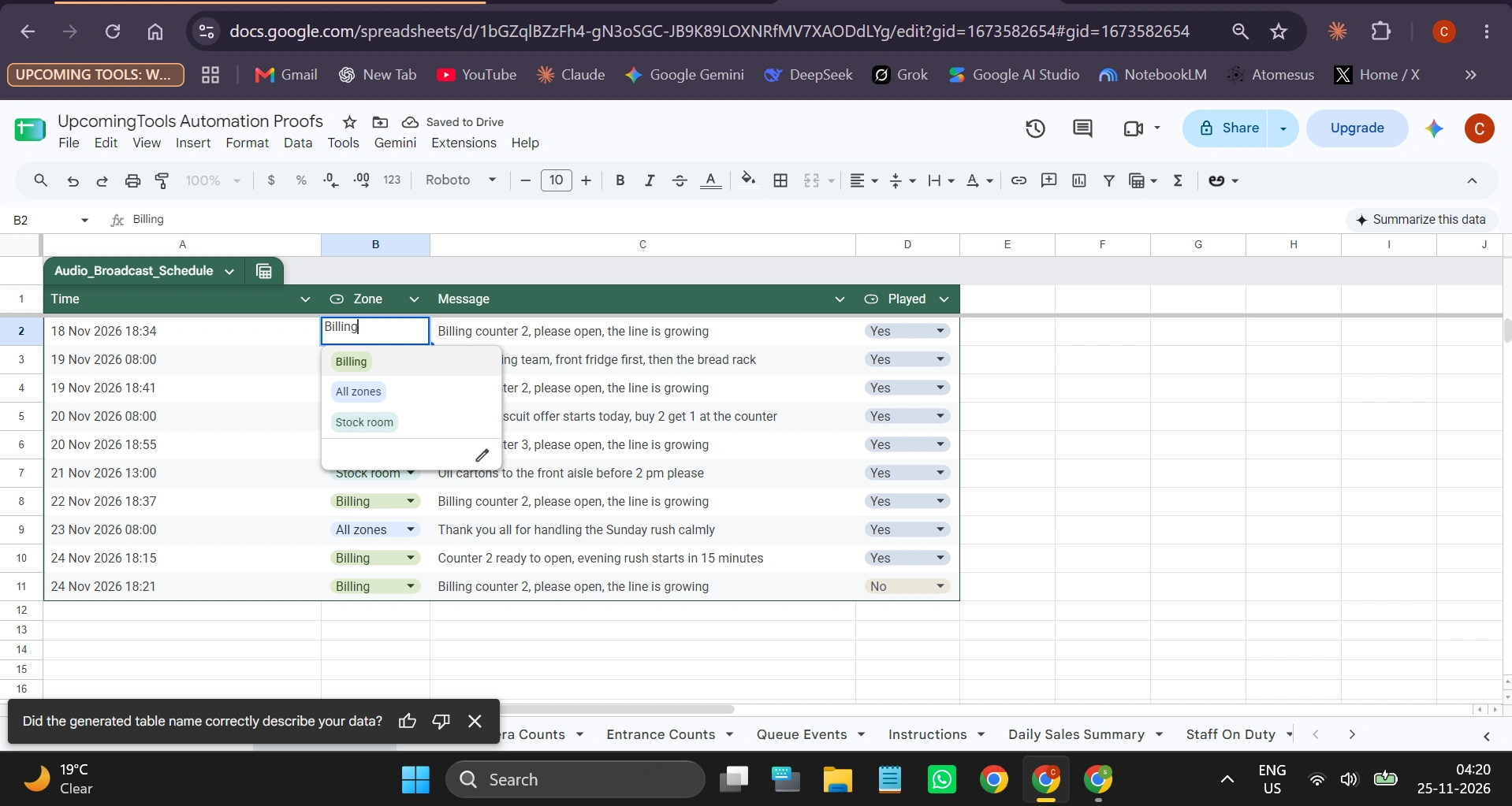
Every workflow on this page writes to one shared desk. The three sheets below are its backbone: the desk index listing every working tab, the owner alerts every workflow reports to, and the speaker queue that carries calls and briefings to the shop floor. My team built all of it and ran it with sample data, much of it after midnight, and you can open every tab in our public automation proofs sheet.
We show all of this for one reason: so you can see the work before you trust us with yours. If you run a small shop with zero investment, come from a rural area or are going through a hard time, one email to contact@upcomingtools.com or a comment below is enough, and we will set these workflows up for you free. Established and enterprise businesses can ask for custom builds through custom services.
Where to start with automation in retail
| If the shop… | Start with | Why |
|---|---|---|
| Has billing data with customer phone numbers | Repeat customer scoring | Brings back money already earned once |
| Sets a monthly sales target | Sales target pacing | Shows the gap while it can still be closed |
| Has evening lines at billing | Queue management | Stops walk-outs at the busiest hours |
| Has a small average bill | Cross-selling at the counter | More from customers already inside |
| Depends on the owner being present | Remote shop management, then the AI shop assistant | Lets the shop run the owner’s way |
| Has no product photos | Product photography | Needed for WhatsApp, catalogues and online selling |
Automation in retail works best one setup at a time: run it for a few weeks, check that it changes what people do, then add the next. The thinking is the same whether the shop sells groceries, electronics, gifts, clothes or hardware.
Automation in retail FAQs
How do I get help?
Start with the guide for the leak that costs the most. My team builds these for eligible beginners at no service charge through Starter Support, and larger shops can ask about custom services.